
The Ergonomics Trap
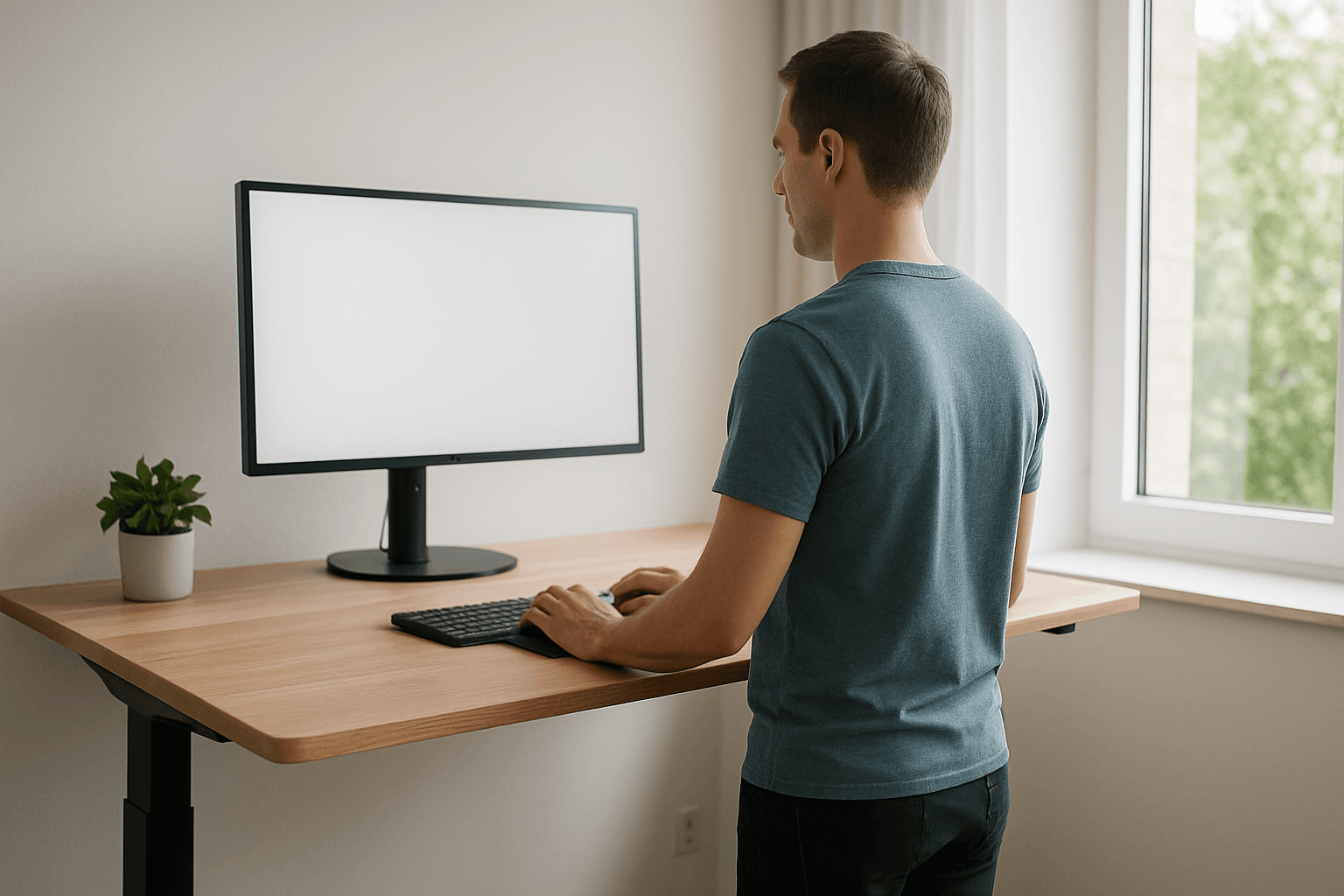
Here is a pattern I see constantly. Someone has lower back pain from sitting at their desk. They research ergonomics. They buy a $1,200 office chair. They get a standing desk. They buy a monitor arm, a keyboard tray, a footrest. The setup looks perfect.
And six months later, they still have back pain.
The setup was not the problem. Or more precisely, it was not the primary problem. The primary problem is that their hip flexors are shortened from years of sitting, their glutes have been inhibited by the same pattern, their thoracic spine has lost its ability to extend, and their body has adapted its entire postural structure around these imbalances.
No desk setup, no matter how perfectly optimized, can override 10 or 20 years of structural adaptation. A good chair supports a neutral spine, but if your muscles cannot hold a neutral spine, the chair is fighting a losing battle.
Ergonomics matters. But it is the second step, not the first. The first step is fixing the body that sits in the chair.
What Actually Matters in Your Desk Setup
Not everything in ergonomics is equally important. Here are the elements that make a measurable difference, ranked by impact.
Monitor Height - High Impact
Your eyes naturally rest looking slightly downward, roughly 15 to 20 degrees below horizontal. The top of your monitor should be at or slightly below eye level, placing the center of the screen in that natural eye-rest zone.
If your monitor is too low, you look down and the head follows. For every inch the head drops forward, the effective load on your cervical spine increases by roughly 10 pounds. This is the mechanism behind tech neck and screen-related forward head posture. A monitor that is too low is the single most common ergonomic mistake and the easiest to fix.
If you use a laptop, get an external monitor or a laptop stand with a separate keyboard. Working on a laptop screen at desk height is one of the fastest routes to forward head posture.
Chair Height and Depth - High Impact
Your feet should be flat on the floor with your knees at approximately 90 degrees. If your chair is too high, your feet dangle and the weight of your legs pulls your pelvis forward. If it is too low, the hip angle closes below 90 degrees and the hip flexors are compressed further.
Seat depth matters too. There should be 2 to 3 fingers of space between the front edge of the seat and the back of your knees. Too deep and the edge presses into the back of the knees, restricting circulation. Too shallow and the thighs are unsupported.
Arm Position - Moderate Impact
Forearms should be roughly parallel to the floor with elbows at 90 degrees. This positions the shoulders in neutral rather than shrugged up (desk too low) or abducted (desk too high). Armrests, if you use them, should support the forearms at this height without pushing the shoulders up.
Keyboard and Mouse Placement - Moderate Impact
The keyboard should be directly in front of you, close enough that you do not have to reach forward. Reaching forward engages the pec minor and anterior deltoid, which over hours creates the internal rotation and forward shoulder position that contributes to rounded shoulders.
The mouse should be immediately next to the keyboard, not off to the side where your arm has to reach for it. Lateral reaching is a common cause of one-sided shoulder and neck tension.
Foot Placement - Low But Real Impact
Feet flat on the floor. If the chair is too high for your feet to reach, use a footrest. Dangling feet shift the center of gravity and cause the pelvis to rotate forward. This is subtle but it adds up over 8 hours.
What Is Overrated
Expensive Chairs
A $300 chair with adjustable height, adjustable armrests, and decent lumbar support does 90% of what a $1,500 chair does. The critical variable is adjustability, not price. A chair that adjusts to your body is better than an expensive chair that does not fit. The most common mistake is buying a chair for its reputation rather than testing whether it fits your specific proportions.
Standing Desks as a Cure-All
Standing desks reduce the time your hip flexors spend in a shortened position. That is genuinely useful. But standing introduces its own structural demands. If your glutes are weak and your pelvis is already tilted forward from years of sitting, prolonged standing loads the lower back in a different but equally problematic way.
The benefit of a standing desk is the ability to alternate positions - 45 to 60 minutes sitting, 15 to 20 minutes standing, then back. The alternation is what helps, not the standing itself.
Standing all day is not better than sitting all day. Moving between positions throughout the day is better than either.
Lumbar Support Pillows
Lumbar support pillows push the lower back into an arch, which feels like it is "supporting" the spine. In reality, if your hip flexors are tight and your pelvis is already in anterior tilt, a lumbar pillow often increases the arch rather than supporting a neutral position. Some people feel immediate relief from lumbar support, which is fine for comfort, but it does not address the muscle imbalances that created the excessive arch.
Wrist Rests and Ergonomic Keyboards
These address symptoms (wrist strain, carpal tunnel compression) rather than causes. The cause of most wrist and forearm issues at a desk is shoulder and thoracic position, not the wrist itself. If the shoulders are internally rotated and the thoracic spine is rounded, the wrists compensate by extending further than they should with every keystroke. Fix the shoulder and thoracic position and the wrist strain typically resolves.
Free - 60 seconds
Not sure which program you need?
Take the free posture quiz and get a personalized recommendation based on your pain and goals.
The Real Fix: Correct the Structure AND Optimize the Environment
Ergonomics and corrective exercise are not competing approaches. They are complementary. The best outcome comes from doing both:
- Fix the structural imbalances through targeted corrective exercise so your body can actually hold the positions that good ergonomics provides.
- Optimize the desk environment to minimize the rate at which those imbalances re-accumulate.
Without corrective exercise, good ergonomics slows the problem but does not reverse it. Without good ergonomics, corrective exercise has to overcome 8 hours of daily structural loading from a bad setup. Together, they work.
The 3-Minute Desk Reset: Do This Every Hour
This is not a full corrective routine. It is a pattern interrupt - a way to reset the three most compromised structures before they tighten further. Do it every 45 to 60 minutes throughout the workday.
Standing Hip Flexor Stretch - 30 Seconds Per Side
Step one foot forward into a lunge position. Tuck your tailbone (posterior pelvic tilt) before leaning forward into the stretch. The tuck is critical - without it, you are arching the lumbar spine rather than stretching the hip flexor. Hold 30 seconds per side.
Wall Angels - 5 Reps
Stand with your back against a wall, arms in a goalpost position. Slide your arms up and down while maintaining contact with the wall. Five slow reps restore scapular position, activate the lower traps, and open the chest. For the full technique, see the wall angels exercise guide.
Thoracic Extension Over Chair Back - 30 Seconds
Sit at the edge of your chair. Interlace your fingers behind your head. Lean back over the chair back, extending through the mid-back. Hold for 30 seconds. This reverses the thoracic flexion that accumulates during screen work.
Total time: roughly 3 minutes. Impact: significant. The hip flexor stretch prevents further shortening. The wall angels reset the shoulder and scapular position. The thoracic extension restores mid-back range. None of these are full corrective exercises, but as a pattern interrupt performed hourly, they meaningfully slow the rate of postural decline.
The Corrective Foundation for Desk Workers
If you sit at a desk for work, the structural pattern is predictable: tight hip flexors, anterior pelvic tilt, thoracic kyphosis, forward head posture, rounded shoulders. The Desk Worker Posture Fix addresses this exact pattern in structured daily sessions.
For a shorter daily reset focused on the positions that deteriorate fastest during desk work, the Work Break Reset program provides movements designed specifically for the mid-workday break.
The starting point is knowing where your posture is breaking down. Take the free posture quiz to identify your specific pattern. From there, the right combination of corrective exercise and environmental optimization will produce more change than either approach alone.
And if the desk worker posture guide resonated with you, this article goes deeper into the environmental side of the equation, while that guide focuses more on the corrective exercise sequence itself. Both perspectives matter.

Mike Boshnack
Corrective Exercise Specialist · Posture Guy Mike
Mike Boshnack grew up skateboarding and surfing, trained MMA, and rode road bikes competitively. A shoulder injury put him on a path to discover corrective exercise. He has since helped thousands of people fix the structural patterns causing their pain, without surgery or passive treatments.
Keep Reading
Related Programs
Free tool
See where your posture stands right now.
Upload a photo and get an instant AI-powered posture analysis with personalized recommendations. Free, no account required.
Try the Free Posture CheckTake the next step
Fix the structural root cause, not just the symptom.
Mike's programs apply this corrective method to your specific condition. No gym, no equipment. Just a floor and 15 minutes. Buy once, own forever.
Discussion
Discussion is a Pro member feature. Visit the community for more.